Case Study - English lessons from the game on your screen
Looté is an iOS app for Brazilian gamers learning English. It reads a game screen, explains each line in the context of the scene, and turns what you save into spaced-repetition flashcards.
- Client
- Looté
- Year
- Service
- iOS Development, Applied AI
Overview
English from the screen you are already playing
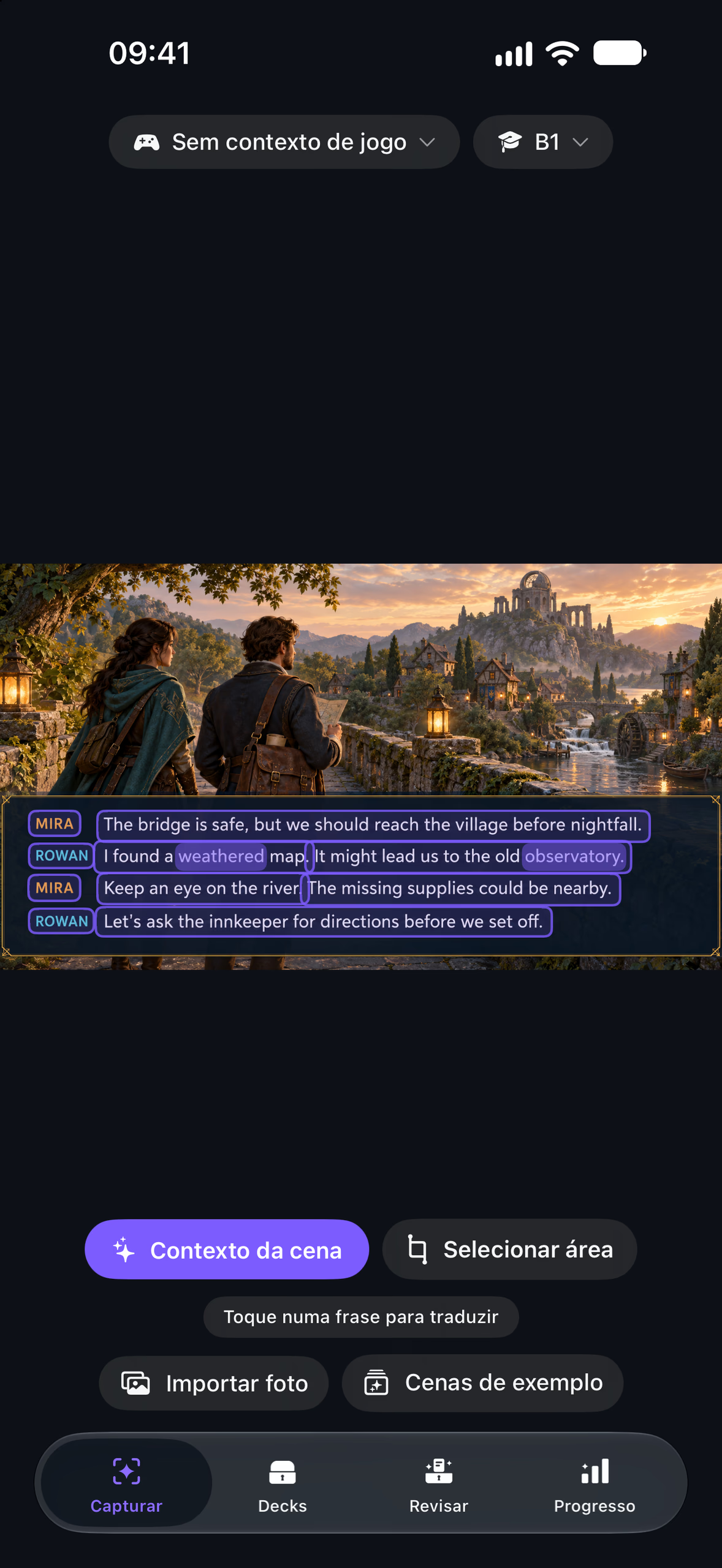
Looté is an iOS app for Brazilian gamers learning English. You photograph or share a game screen, Vision finds its text and groups it into sentences, and a tap on a sentence or a word explains what it means in that scene. It is on the App Store.
Whatever you save becomes a flashcard that keeps the screenshot it came from, and the Review tab schedules those cards with SM-2. The app is written in Portuguese with English and Spanish localizations, and Spanish speakers get their explanations in Spanish.
- Vision OCR
- iOS translation
- On-device model
- Apple’s cloud
- SM-2 flashcards
- Portuguese, English, Spanish
How it works
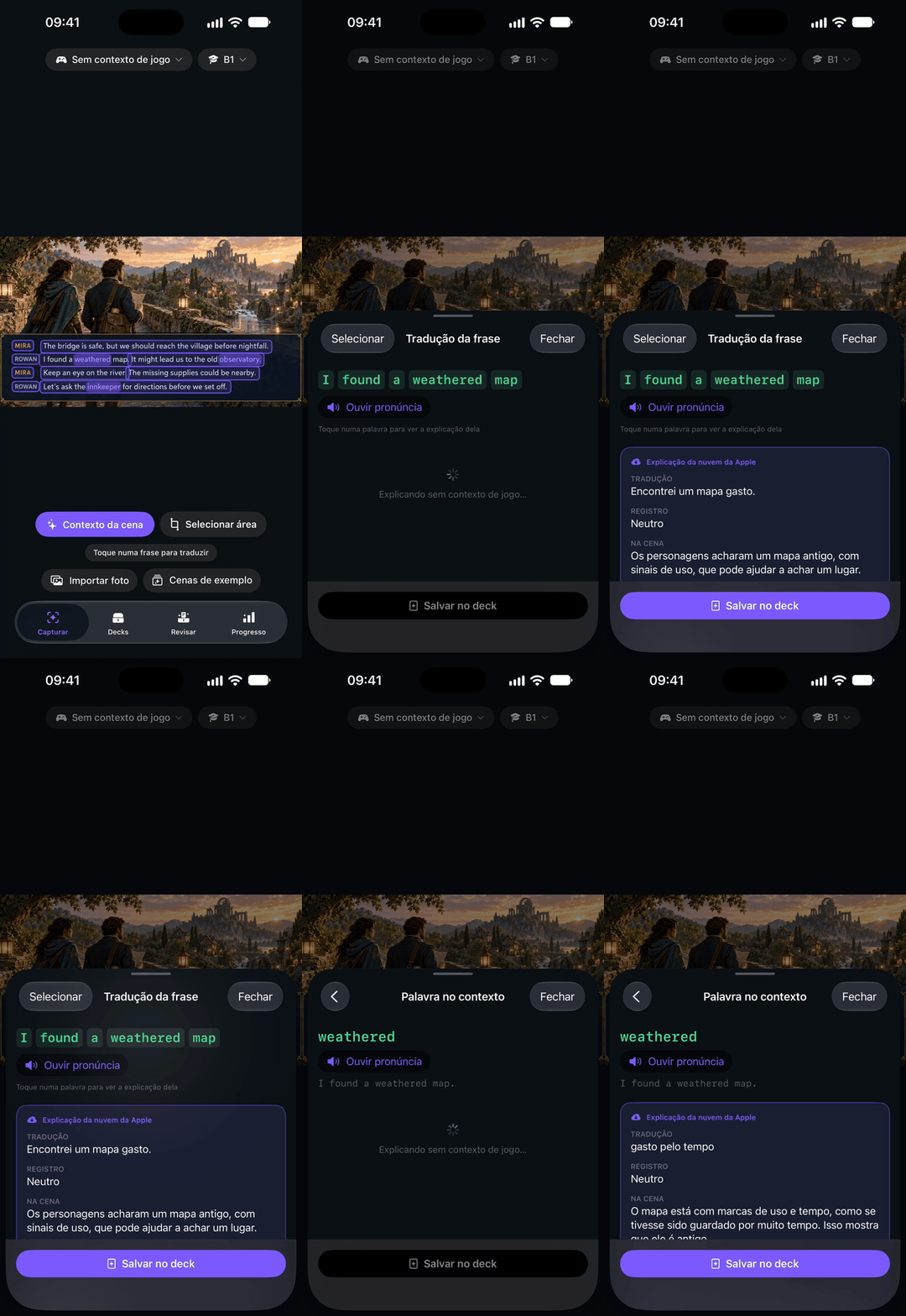
Each answer shows who wrote it
Tap, explanation, word
iOS translation
With the English and Portuguese languages installed, the Translation framework translates every sentence as soon as a print is captured, so a tap opens on a translation that is already there.
On-device model
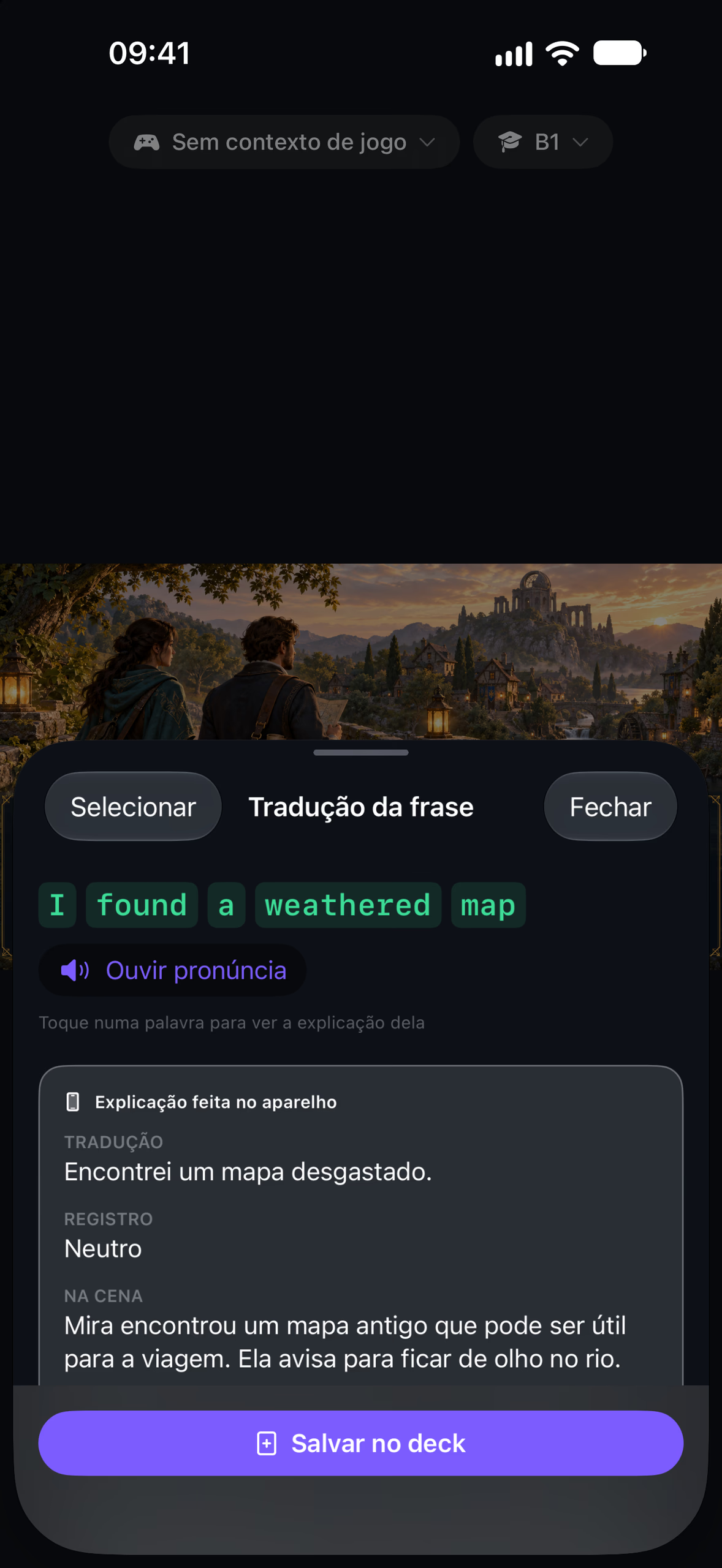
Apple’s Foundation Models explain the register, the meaning in the scene, an example and a note. It works without internet but takes a few seconds, and it is what the free plan uses for taps and scene summaries.
Apple’s cloud
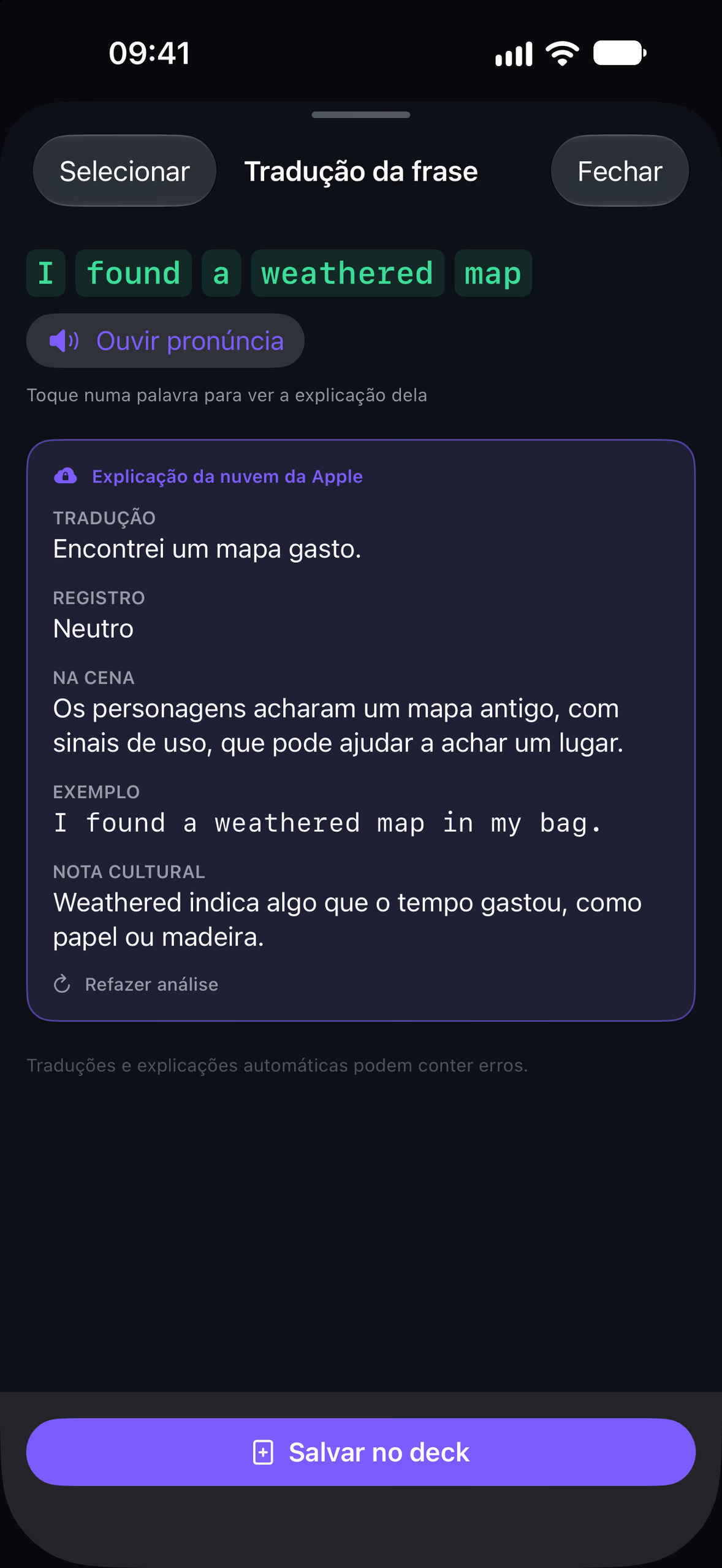
Private Cloud Compute writes the session recap, because a whole queue of prints doesn’t fit the on-device model’s context. For Pro players it also takes scene summaries and taps. At the daily limit, everything moves to the on-device model on its own.
An inbox for prints
A share extension takes up to 20 images from any app’s share sheet and saves them to an inbox without opening Looté. The app walks them later as a queue, one print at a time.
Spaced repetition
Saving a sentence or a word makes a card with its screenshot. Review schedules the cards with SM-2, and Progress shows the streak, reviews per day, and learned and mature cards.
Looté Pro
Pro, sold through RevenueCat, unlocks the queue of two or more prints with its session recap, the Full mode where Apple’s cloud answers everything, and more than 100 saved cards.
Product
From the print to the deck
Capture
Apple’s cloud
On device
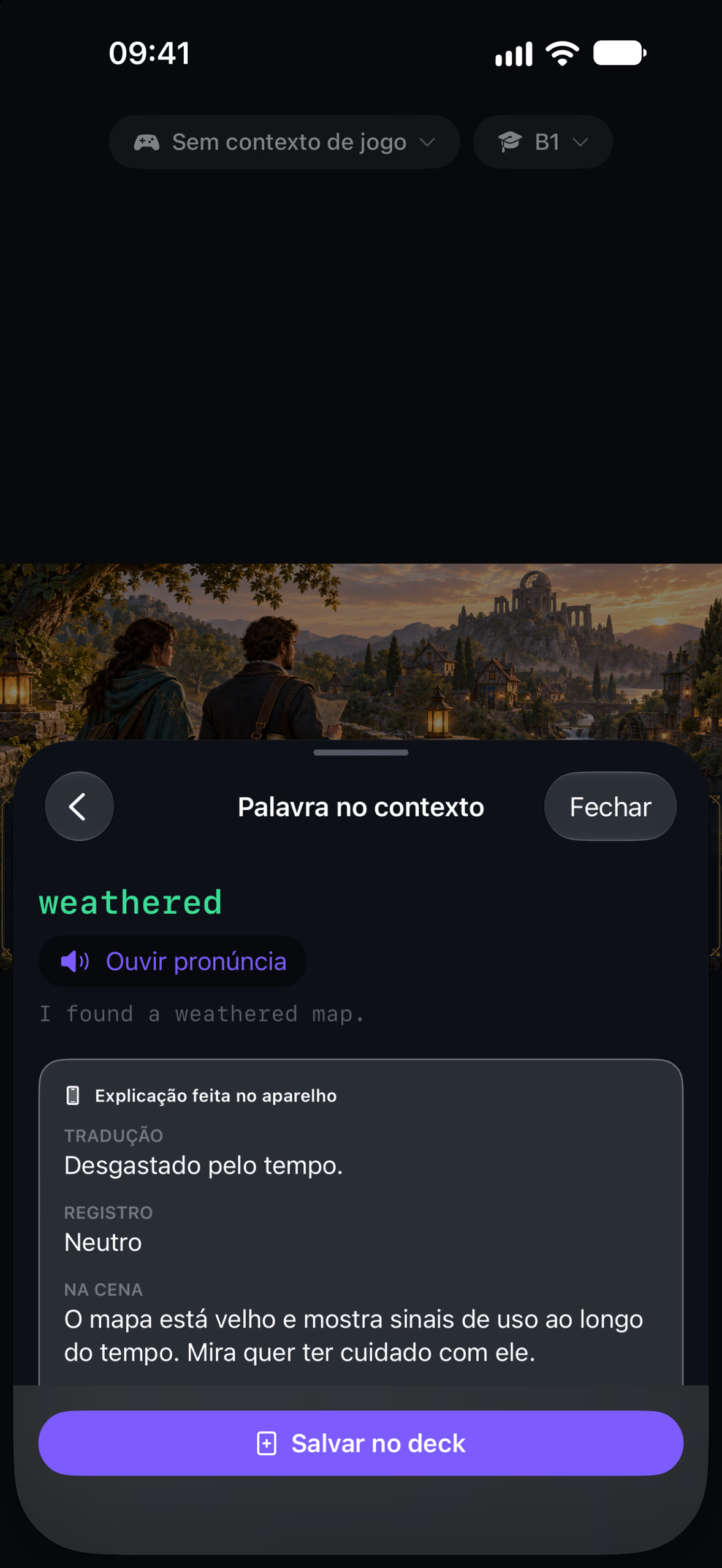
Word
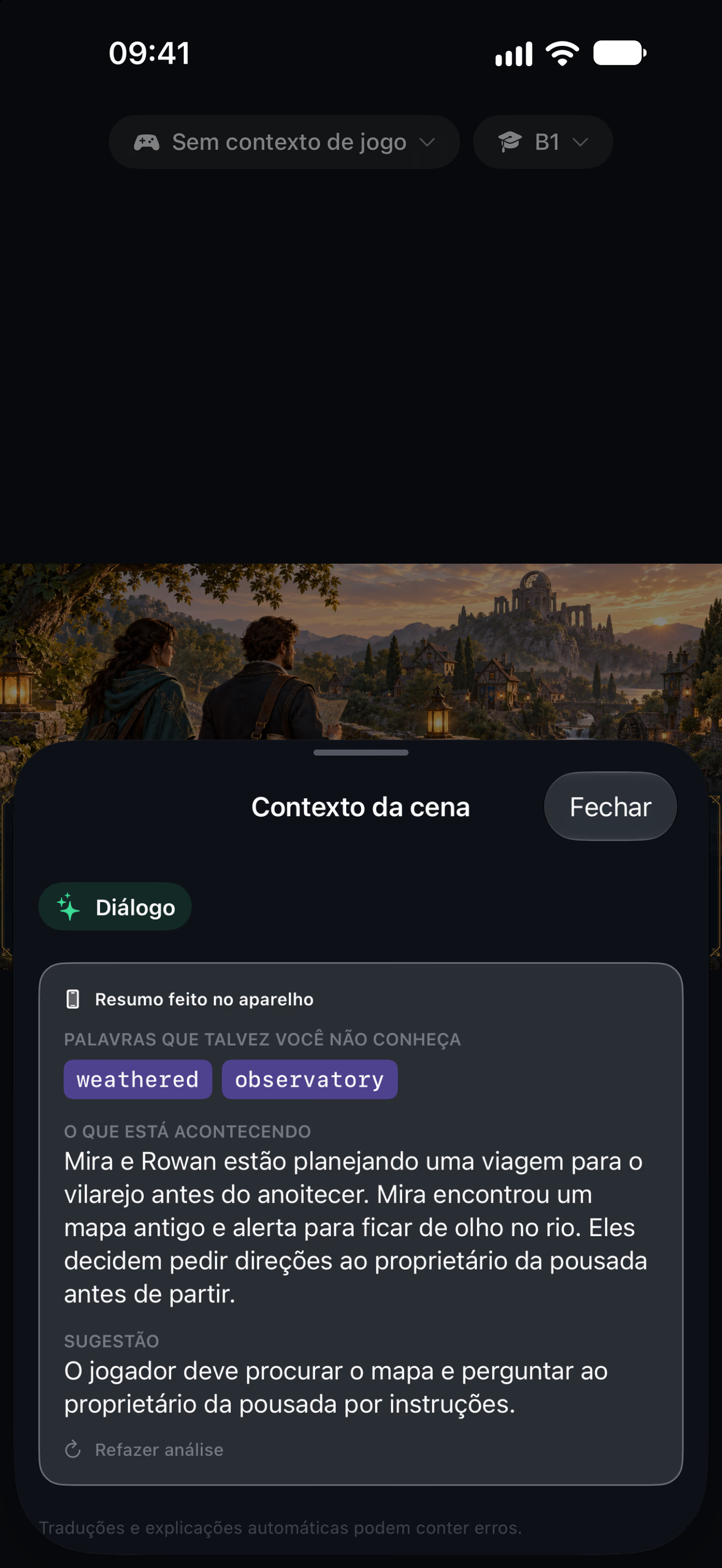
Scene context
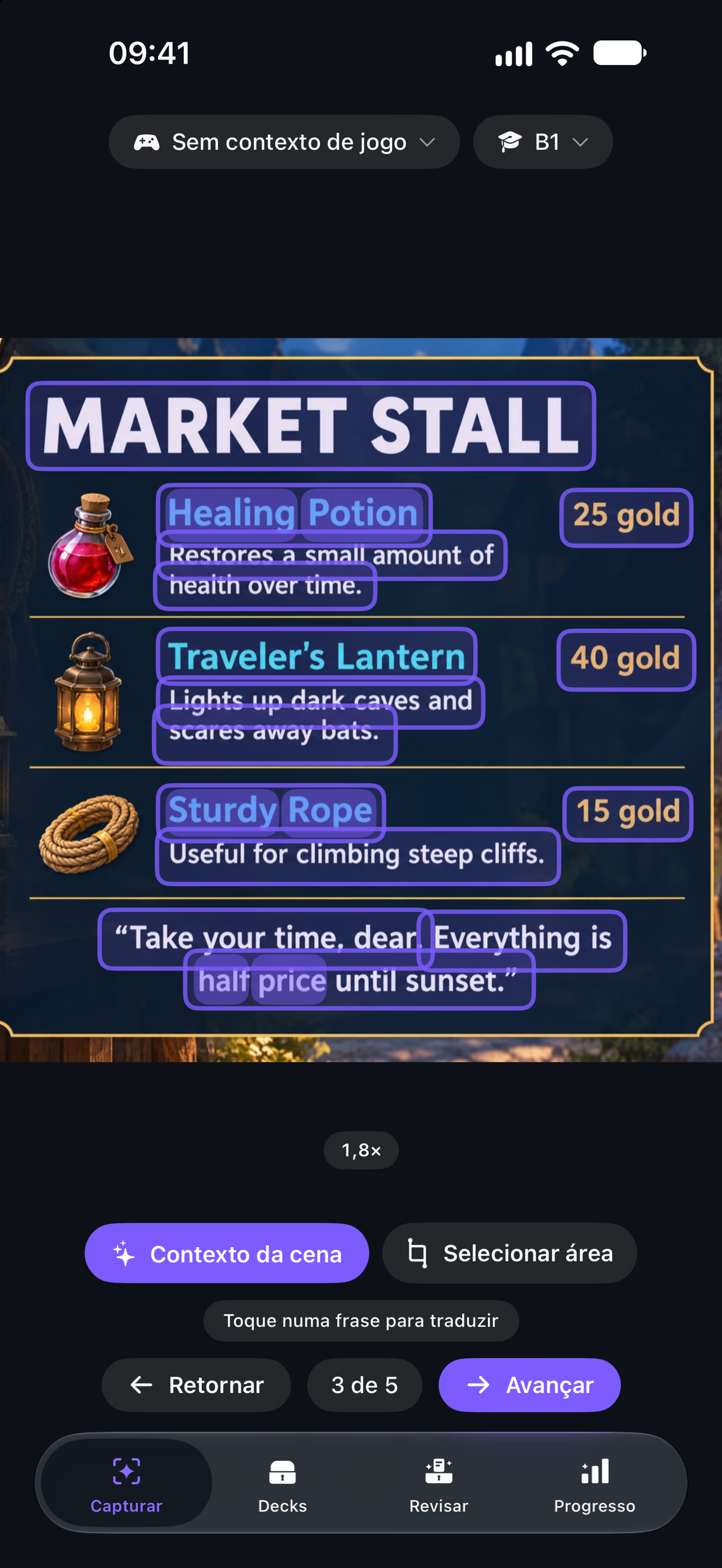
Queue, 3 of 5
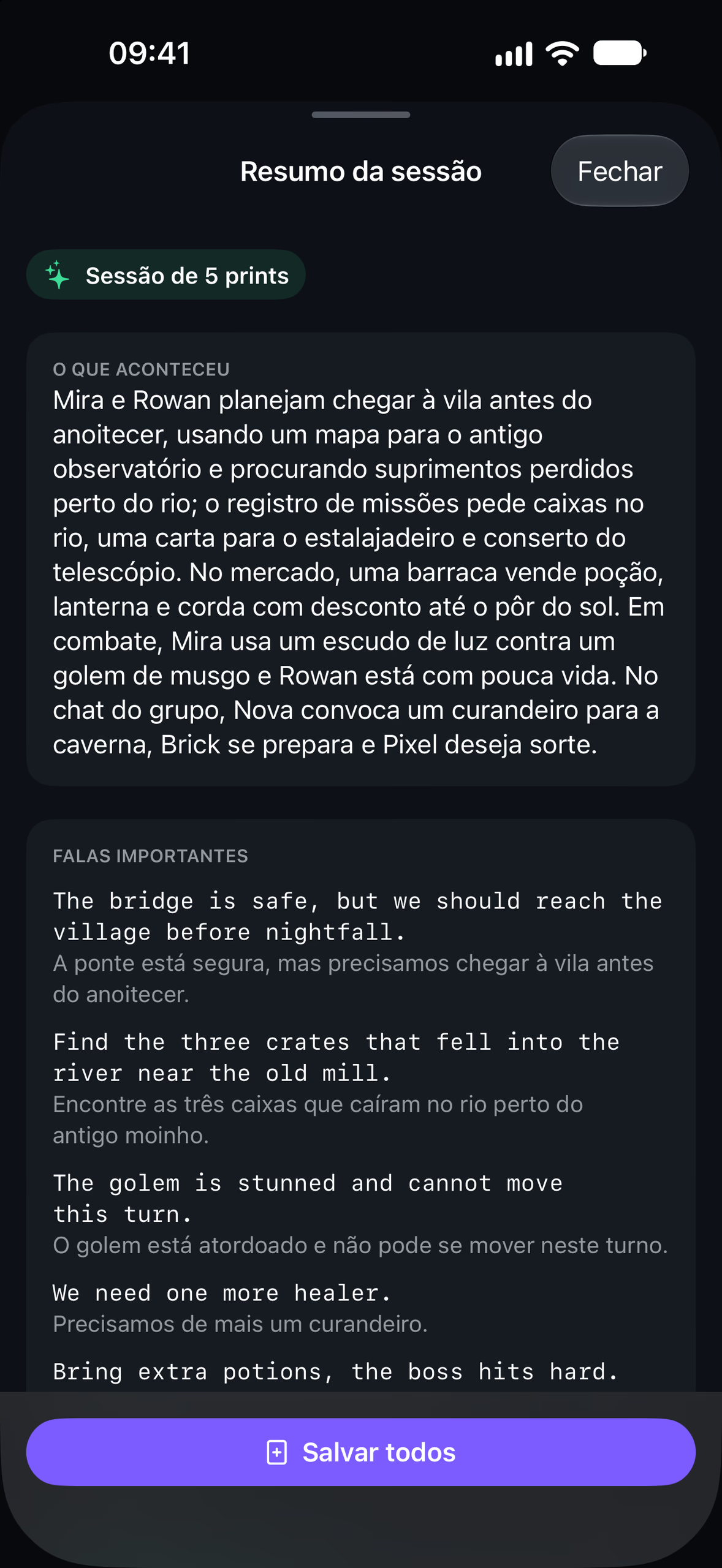
Session recap
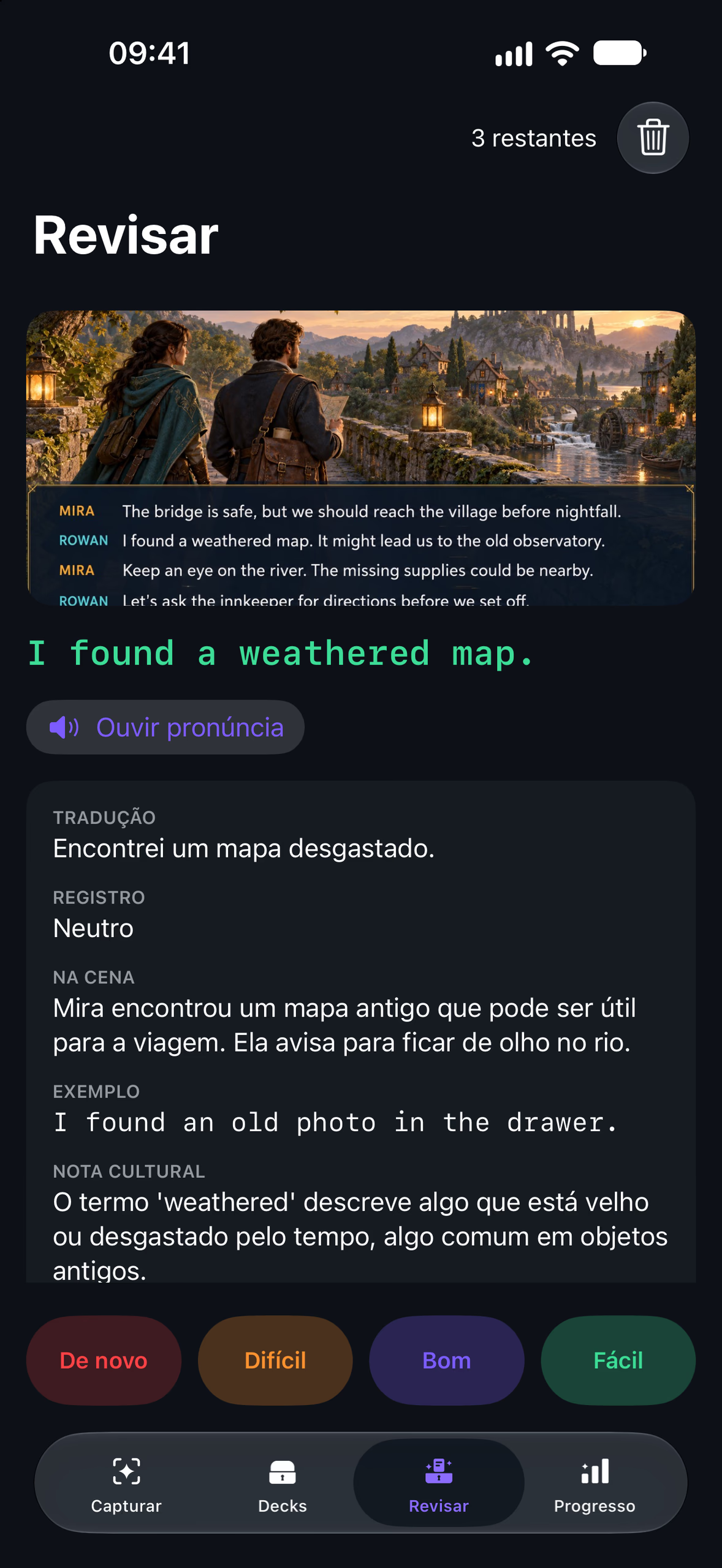
Review
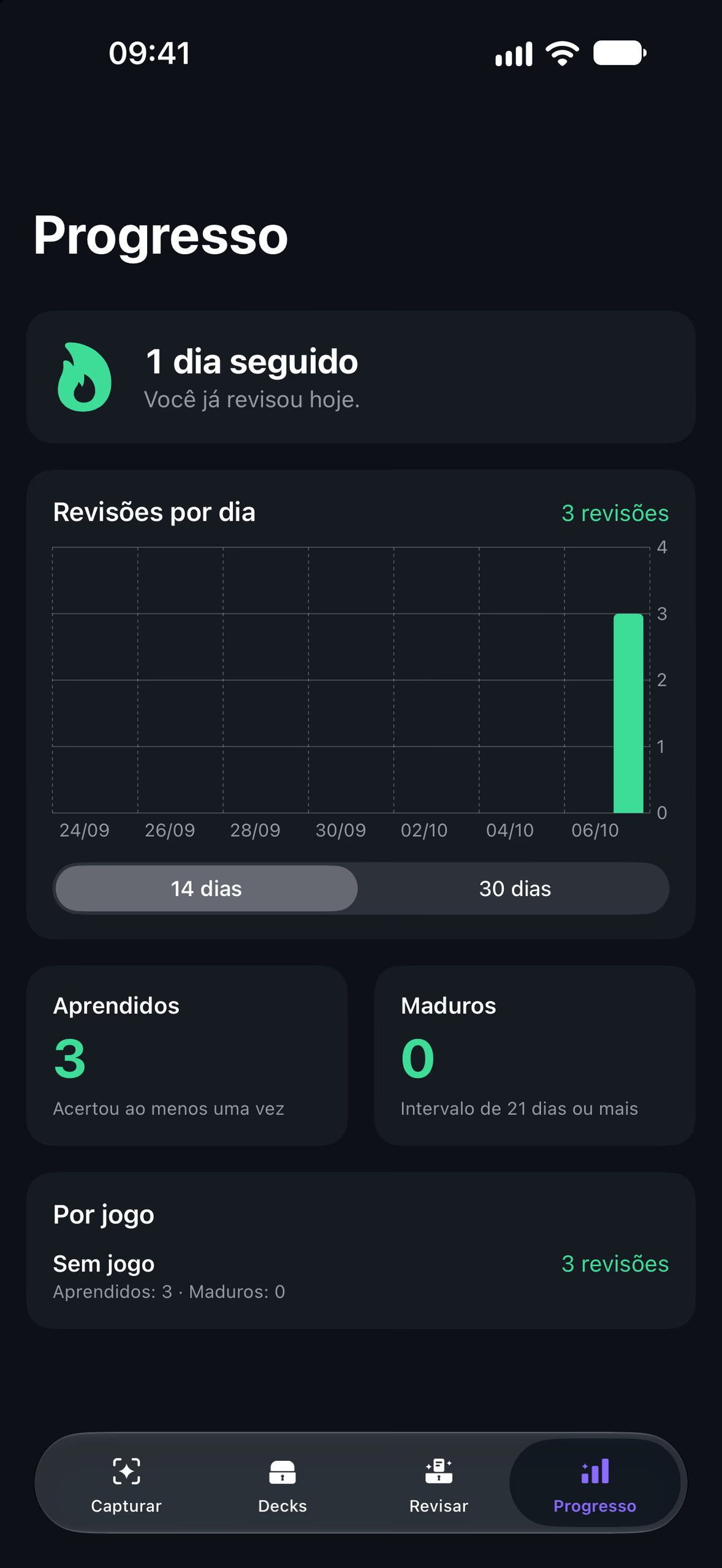
Progress
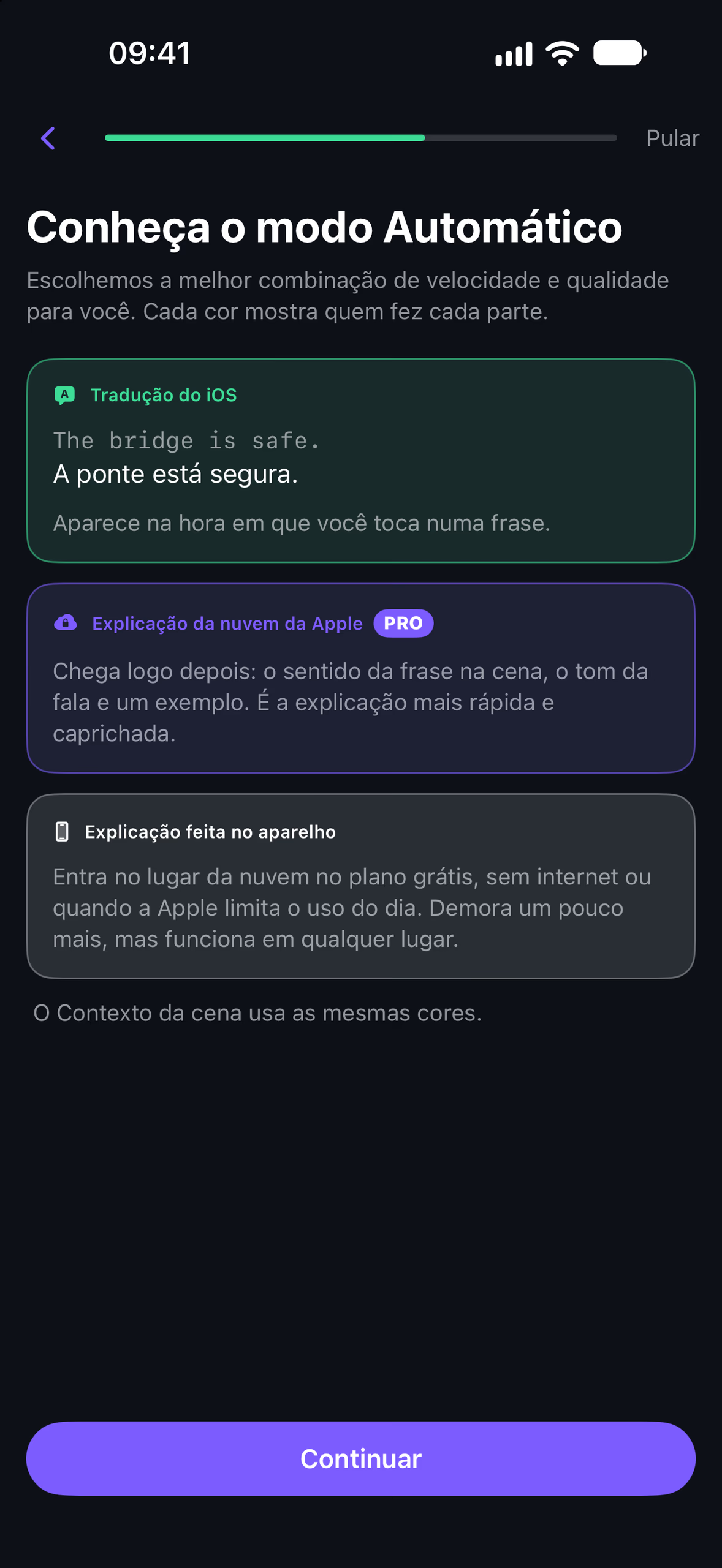
Meet Automatic
Stack & proof
Apple’s frameworks and one dependency
iOS translation, the on-device model and Apple’s cloud
Images per share from any app, saved to the inbox
Interface in Portuguese, English and Spanish
Saved cards before Pro is needed
Technologies
- Swift
- SwiftUI
- SwiftData
- Vision
- Translation
- Foundation Models
- Private Cloud Compute
- Share Extension
- App Groups
- AVSpeechSynthesizer
- RevenueCat
- Swift Testing
Vision’s text recognition reads each print, and a pure, unit-tested grouper turns its lines into sentences. SwiftData stores games, cards and the review log. The share extension shares no code with the app, only an App Group folder. Swift Testing covers the SM-2 scheduler, the grouper and the OCR of every sample scene.